IceDave
Members
-
Joined
-
Last visited
Everything posted by IceDave
-
My Mrs had the same problem with the 2 Fatminis I bought I didnt want to change the bike and I was told changing the Mrs was out of the question so I bought a pair of these at first she thought I was pulling her leg but when she tried them out on the bike she loved them gives her the extra 1" and a half she needed.


-
And thats why I am trying to identify the lcd so I can contact the maker of it I found info for the "P" settings hope I get an email from the shop when he hears back from the maker of the bike so I can sort the rest of the settings
-
Already sent email to the shop he is trying to get lcd info from his supplier and yes holding buttons does give access to settings screen but need to know what the "P" settings are.
-
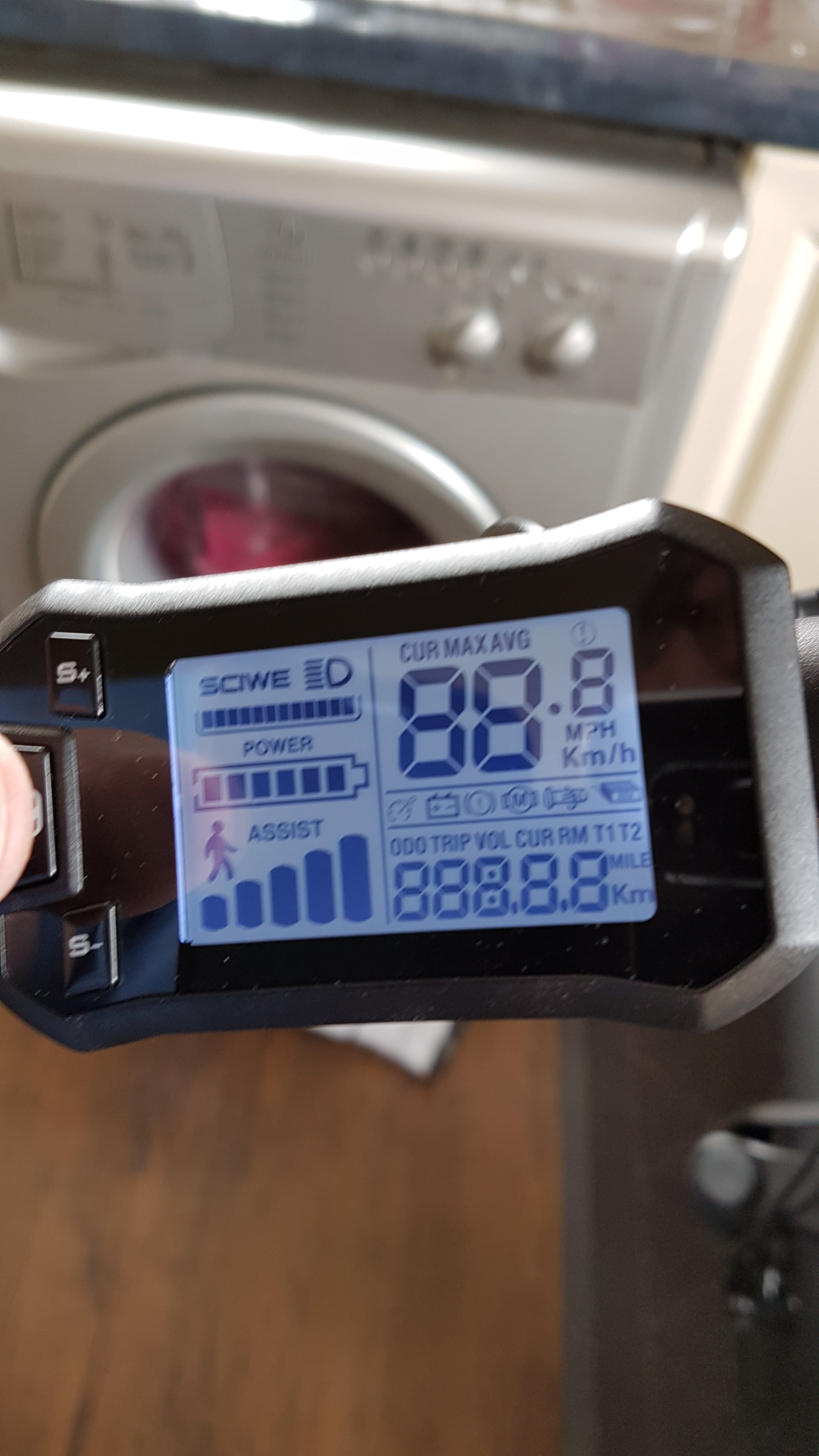
Sadly they upgraded the Kingmeter lcd to this new model
-
Its not part of a kit that I know of it came on my bike from www.fatmini.co.uk I have contacted the owner and he is trying to get a manual from his suppliers the only other bit of info I have is a barcode from the bottom of the screen

-
Hi I am trying to identify an LCD controller does anybody have an idea what this one is so I can try and track down a manual so I can adjust the settings on it thanks.