claxby
Members
-
Joined
-
Last visited
-
so this unit is compatible with the old unit !!! is it plug and play?
-
Learn from history..after breaking my derailleur I am thinking of going back to the old days and fitting a rear internal hub gear system , anyone had experience of Shimano or even the Kindernay hub ??
-
Does any one know of an available tool to diagnose the Giant system ???
-
No error code shown,just one segment flashing,but all systems working fine.
-
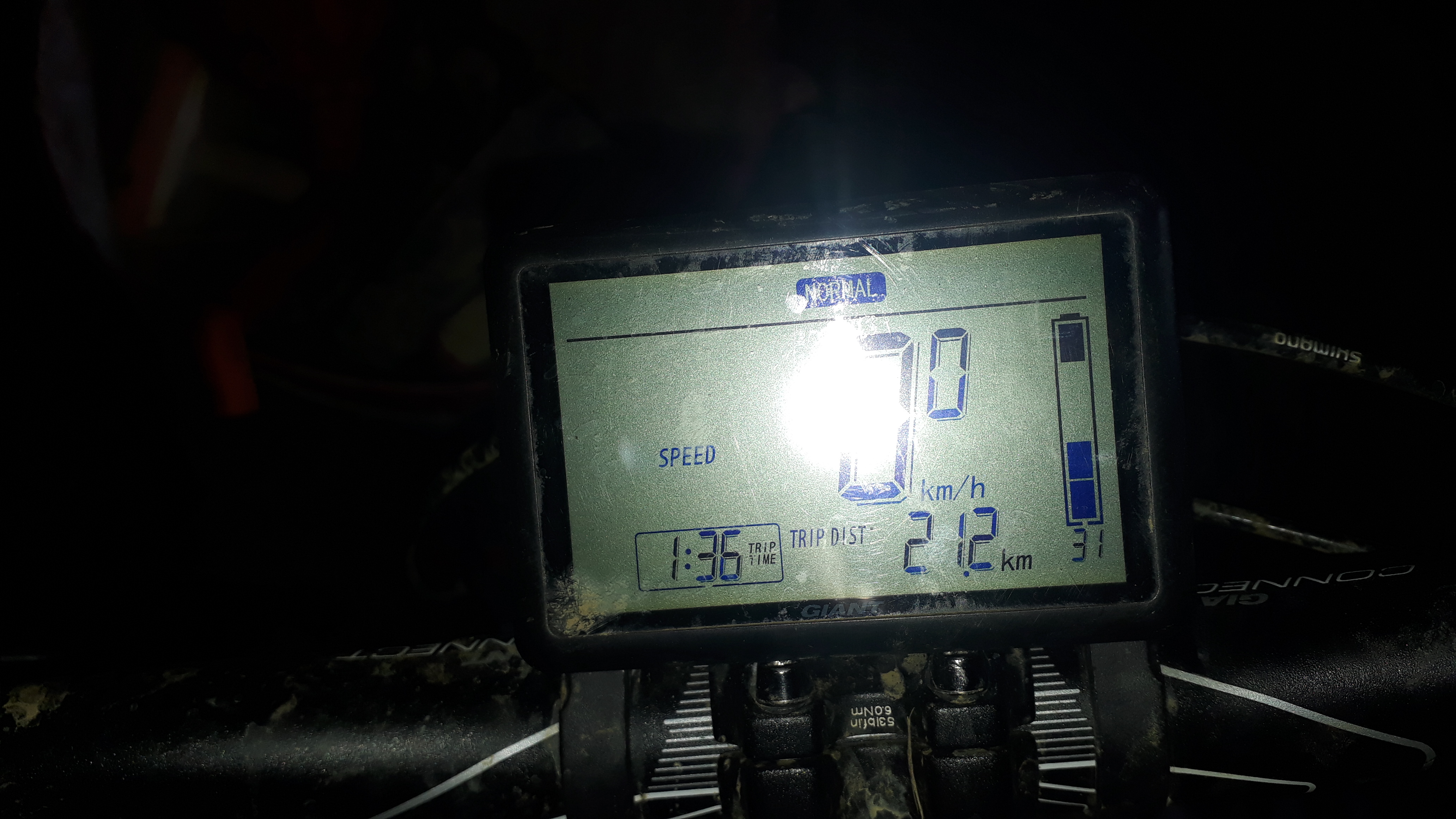
no, its the top segment flashing,the rest work fine with the battery charge.On my charge type display unit the top segment of the battery indicator is flashing,all seems ok with the bike,any ideas ?? Thanks in advanceWe offer a stylish self catering accommodation in the heart of the Vale, close to Belvoir woods and the Viking trail. Plus lots of e-biking trails ,ranging from easy Canal rides to wodland climbs, perfect to discover this little known part of the East Midlands. www.manorhousestathern.comAny one had a similar fault occur ?? Mine is fitted into a Giant Full E , according to Rutland cycles its a new motor..warranty repair !! Is this a common problem with the X94 ???I'm in Stathern , can I come over sometime and check it out ? Not sure how safe this site is to give out contact details..Lee, have you sold ??Have a Giant full e mountain bike and Thinking of going tubeless, has anyone any advice/ experience to offer??Can anyone advise how to change the speed reading from Kph to proper MPH ? Its the lcd display, I'm led to believe.