horse
Members
-
Joined
-
Last visited
-
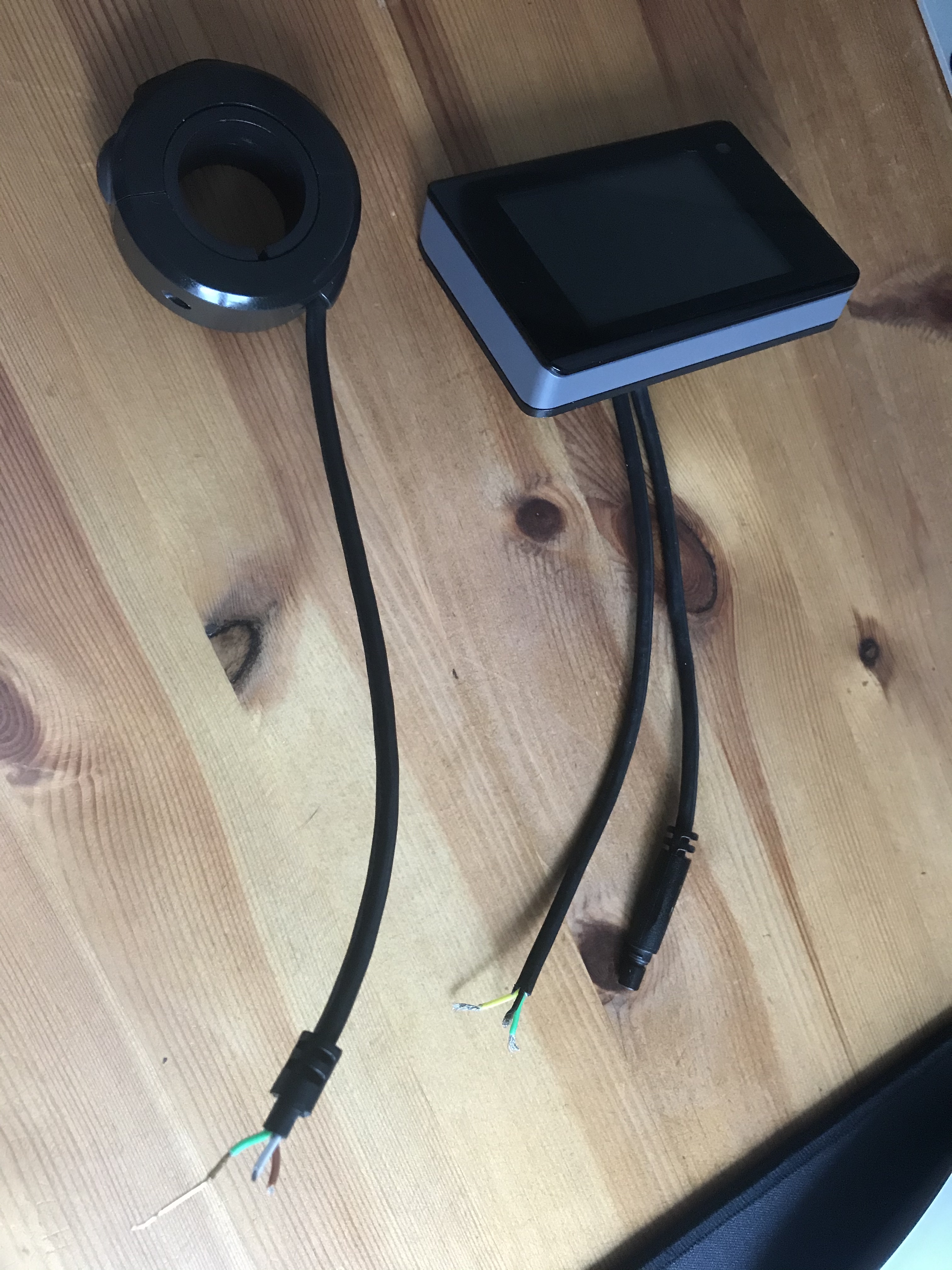
I am helping a neighbour out who has a problem where the two mains cables coming out from his LCD Display to the handle bar switches and the main bike controller, are broken. The 3 wires from the switches are Brown, White & Green. The cable into the display are Yellow, Green & Black. The 4 pin connector is also broken at both ends. Does anyone have schematic or list of colours or connections for this please. I found a teardown of the LCD display which is a SMART Bluetooth MU170517005 which appears to be a Dayton Industries DE48X E-bike computer at https://fccid.io/O4GDE48X/Internal-Photos/Internal-Photos-3388513 But that only gives me its internal connections.

-
I know this is an old thread but I have just joined and this link may help people. I have a similar problem with both the main plug and the switch plug having been dystroyed so Im looking for wiring info to. But here is a teardown of the Agutta Smart Bluetooth Display showing all the wiring for the 3 cable MU170517006 display. https://fccid.io/O4GDE48X/Internal-Photos/Internal-Photos-3388513