JayDG
Members
-
Joined
-
Last visited
-
Ha, ok, thanks. Got the open spanner for the outer nut. Will try that method on the inner one if needed!
-
Where did you get your openjaw?
-
I clearly didn't tighten the Bafang inner lock ring sufficiently when I did DH's bike, so needed to sort that just now. I've managed to bodge tightening it, but an open-jawed spanner would be useful for the future. I've heard folk on here mention them, but my Google-fu is failing me. Can anyone point me to a suitable open-jawed spanner available in the UK please? (I have a ring spanner, but that necessitates removing the crank - which wouldn't be an issue except that my crank puller is currently an integral part of the old crank, and is taking some releasing!)
-
Eclipse bikes have been great with me. No idea if they ship to EU, but a text to the mobile number in 'contact us' usually gets an answer quite quickly. https://eclipsebikes.com/
-
I've just been able to successfully read from, and write to, my Bafang BBSO1B. I'm using the programming lead from Torquetech (no idea which chip that is) and an Android 10 phone (Motorola One), with a USB to USB-C adapter. Battery switched on.
-
I saw. But in case she decides to try again to electrify a bike. Or anyone else who has a small triangled bike and the seat down low.
-
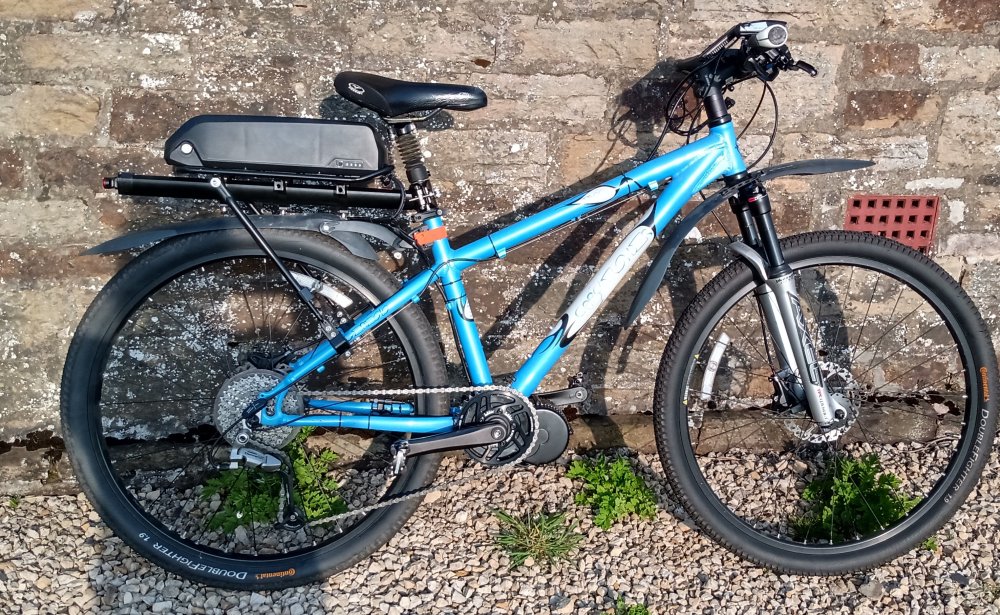
Here it is (Still waiting for the brake sensors, hence the tangle of wires at the handlebars)
-
I have to remember to do this when I come home, as it's downhill, so I don't need to. But if I forget, it's impossible to set off back uphill - I suppose it will become habit eventually.
-
Did you get this sorted? If not, I'd say don't worry about DIY. I've just fitted a Bafang BBSO1B (mid motor) and it was extremely straightforward, and difficult to see what I could have done that would have been dangerous.
-
When you try again.....my bike triangle was also too small, and I already had a seat-post rack like the one you found on Amazon. So I drilled holes in it to mount the battery base (had to use some washers as spacers, to clear the end of the rack). And it works fine.


-
Yes, very helpful, thank you . Decided in the end, that the controller had to be in the motor itself, if that's how the cable was supplied, and so it turned out . Mine has got 9 settings, which I've done at 10% intervals, but I haven't changed the % speed yet, and I also put the keep current to 80%. It's really good now!
-
It was indeed set at 20%. Have set it to 80%, just been out to try an awful hill a mile or so from home, which I normally have to walk up, and it was absolutely fine! So - thank you very much - with that change, and the 36T chain ring, the bike is now just what I hoped it would be
-
I've just fitted the 36T chain ring, so will see how I get on with that. Now I'm trying to program the controller..... (BUT: the USB programming lead has a female end, and the lead from the controller has a female end. It's the controller I'm supposed to be plugging to computer into, isn't it, that's where the 'instructions' are. So now what do I do? - decided to try it as it was obviously intended, and clearly the program is in the motor )
-
Ah - this is what I wanted to know, thank you! ETA: have ordered my programming cable....
-
A Shimano 9 speed cassette. Which I'd really rather not replace. Maybe I could just go for a smaller chainring, 44 is the size of the biggest cog on the front set I've taken off, the smallest was 22. And can I increase the assist I get uphill? ETA: Ok, have decided to try a 36T chainring.