jmv_driver
Members
-
Joined
-
Last visited
Everything posted by jmv_driver
-
well... tried to debug if the shunt mod was impacting anything on the controller. Just disabled it and the same problem is happening. your help is appreciated. Because I dont know what to do... Thanks

-
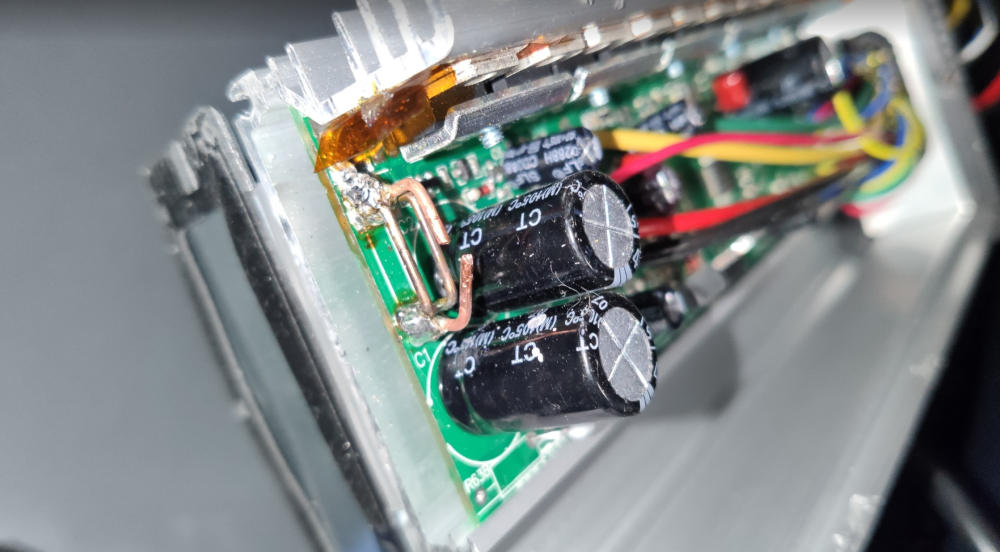
Pictures from the controller: Nothing seems to be burnt. :/


-
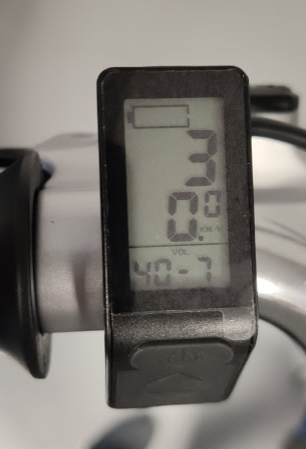
Hi Guys, I'm new here, and i found your forum trying to find a solution for my problem. I have a e-scooter which I'm trying to mod, to have some more power. This scooter originally had a 36v lead battery, a 350w controller, and a 750w brushless hub motor. Now I bought a Kunteng controller, with an LCD4 and a Panasonic 36v battery. I tried on the bench and everything worked well. The motor was running and the battery level was correct. Then I did some readings and I did a shunt mod to the controller. I had 2 copper wires of 1.5 mm and I added a 3 cooper wire of 1 mm. After closing everything, the controller is not detecting the battery level, but the voltage is shown on the display. What I'm missing? is there any component near the shunts that could be damaged with the heat of the iron? Is there any configuration I could change? I appreciate your help, because, As soon as I start riding the e-scooter shuts down without battery