SteveMonty
Members
-
Joined
-
Last visited
-
I have a BoschConnect module fitted to my Cube Kathmandu, I fitted the ConnectModule last year and everything appears to function fine on the Flow+ app, with one big exception, I can’t find anywhere in the App that displays my bikes location, which is pretty bad should my bike be stolen, I’ve received update emails from Bosch saying that it’s a feature and that they’ve also built in a locate your bike function, so where is it? I’ve tried reaching out to Bosch support, in the first reply they asked me if I had a BoschConnect module fitted, as I’d sent the help request from their app id have thought that was a given, the next reply from them was totally blank! so, could someone tell me where in the app the bikes location should appear? also any suggestions on what to try would be appreciated, the bike and app are up to date
-
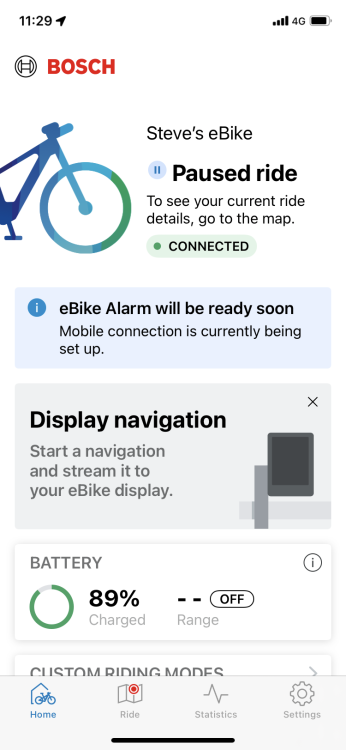
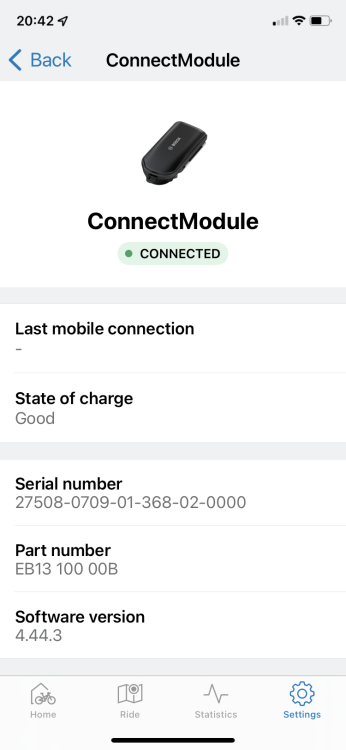
Nice video, I’m sure folks will find that handy, I had pretty much the same set up on my Kathmandu EXC and fitted mine earlier this week, everything works fine apart from the alarm as mine doesn’t seem to have connected to mobile, I’ve tried leaving it outside for hours with it turned on, been for a long ride around town to see if a better signal helps but I still keep getting this on the home page of the flow app; Ebike alarm will be ready soon Mobile connection is currently being set up Any ideas?
-
Thanks, so I’ll be able to program it to provide assist at output levels of my choice each having a cut off at 25km/hr just wanted to confirm before I order
-
what controller are you using now as the photo on your site shows a KD58C and the specifications state KM529, the reason I’m concerned is that my wife’s Santaner3 had a KM529 and at the lower levels assistance cut out way below 25km/hr ramping up to it not cutting out at the highest level, I did call in and I was sent a replacement speed controller which didn’t limit assist at the lower levels. I’d like to buy a Gran Camino but would prefer assistance at all levels up to 25km/hr I just can’t see the point of having to have it on the highest power output to get assistance any 25km/hr Hence the question about the controller type and would you be able to confirm that if they’re set up in the same way as the Santana3 it’s possible to modify them so that output levels are unrelated to speed