Johan84
Members
-
Joined
-
Last visited
-
All MOSFETS gets the same value 14,7k. I measured the motor cables and there is o,oo ohms between all if them:oops: cant be good right? btw, i unplugged the motorcables and the error code persists when i start..
-
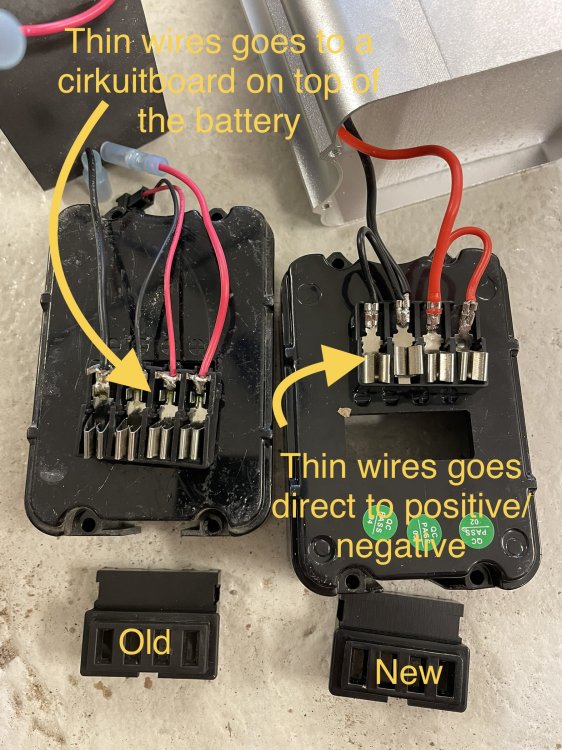
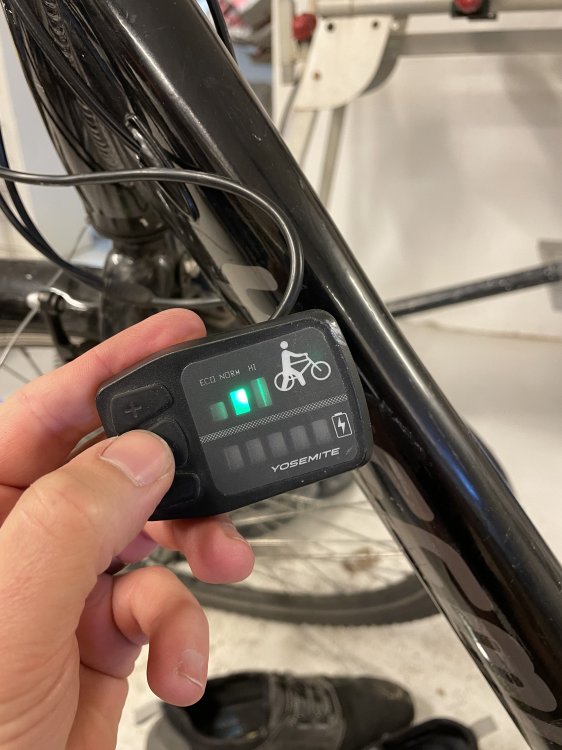
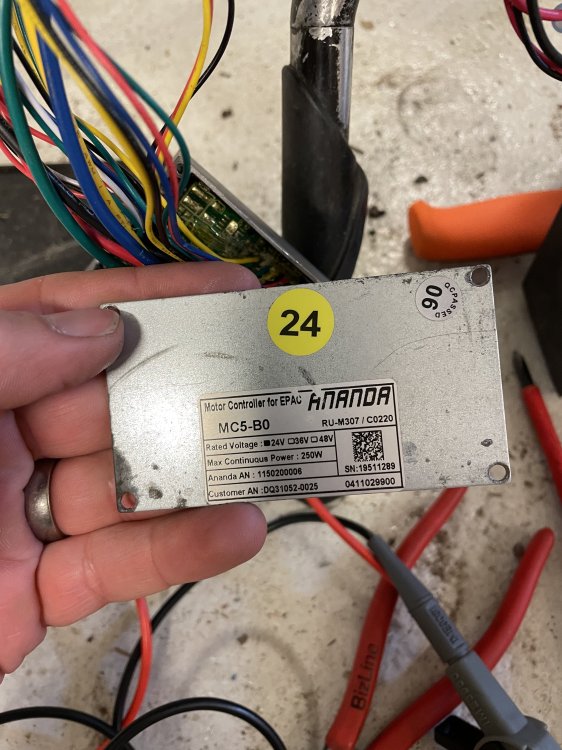
Hello every1. This sweden calling for help! I’m trying to fix my sons e-bike that hasn’t been working properly for a while(battery discharged fast after fully charged, sometimes the bike just loses power etc) To make life easy for me, i just bought a new battery to see if this would help but unfortunately this made it worse. See pics for old and new battery I don’t know if the thin wires causes my problem, but when im trying to start the bike via the controlpanel the 2nd lamps blinks continuously. From the maual i dug up, this is an error code for ”over current”? If i put in the old battery again the problem remains. I’ve made som continuty mesaurements on the controller to see if i could find any shortages, but everything looks fine. I’ve checked that i have 5V on the Hall sensor, checked the brake connectors, cleaned all connectors and now i’m out of ideas Could it be the controller the has given up? Do you know an alternative controller i can buy and replace?