


John Bucklebury
Members
-
Joined
-
Last visited
Everything posted by John Bucklebury
-
The controller in the handlebar unit failed. Swytch sent me a new one and all is well. They then sent me the bare controller, so I have a spare. Would anyone like to purchase it for a nominal amount to confirm all the opinions?
-
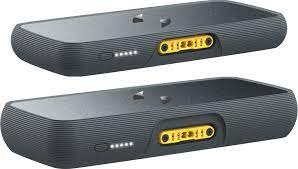
Yes, everything is in a rather nice grey plastic tablet. It looks very smart . I would like to buy a cheap battery /controller that I can add to my bike to extend the 30k range.
-
I have the latest version of Swytch kit. The battery is wrapped in tough plastic and is then secured to a unit which I assume has all the gubbins in it.
-
I agree. But I am getting sick of the range anxierty
-
Thanks for the reply. The voltage regulator was my guess. Swytch keep asking for videos of the wheel being rotated backwards. Twice so far. I am not sure how the battery/controller on the latest swytch is set up. The battery just plugs into the handlebar unit. So unsure how to split off the feed to the motor. Any help gratefully received.
-
received my Swytch Max this year and love the ease of assembly. Less love for the range, about 10 - 11 miles. But at 14 stone I suppose reduced mileage is to be expected. My medium term plan is to add a generic battery to give me more freedom to roam. Presently chatting to Swytch about the failing voltage regulator.