TBoy1
Members
-
Joined
-
Last visited
Everything posted by TBoy1
-
When purchasing the battery from the Amazon link make sure it is 36V 10Ah-100W-500W
-
The battery order via the link is 36V 10Ah-100W-500W
-
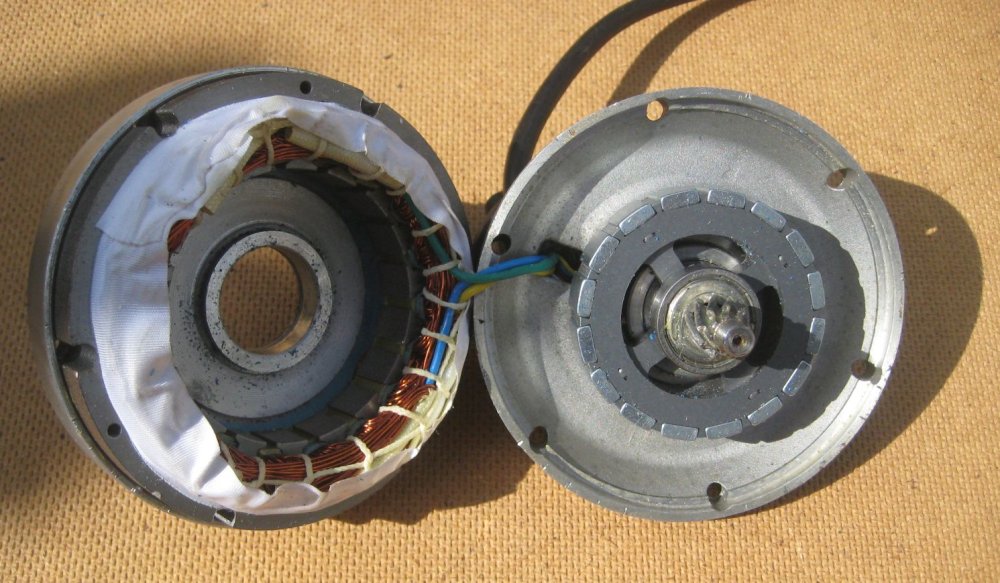
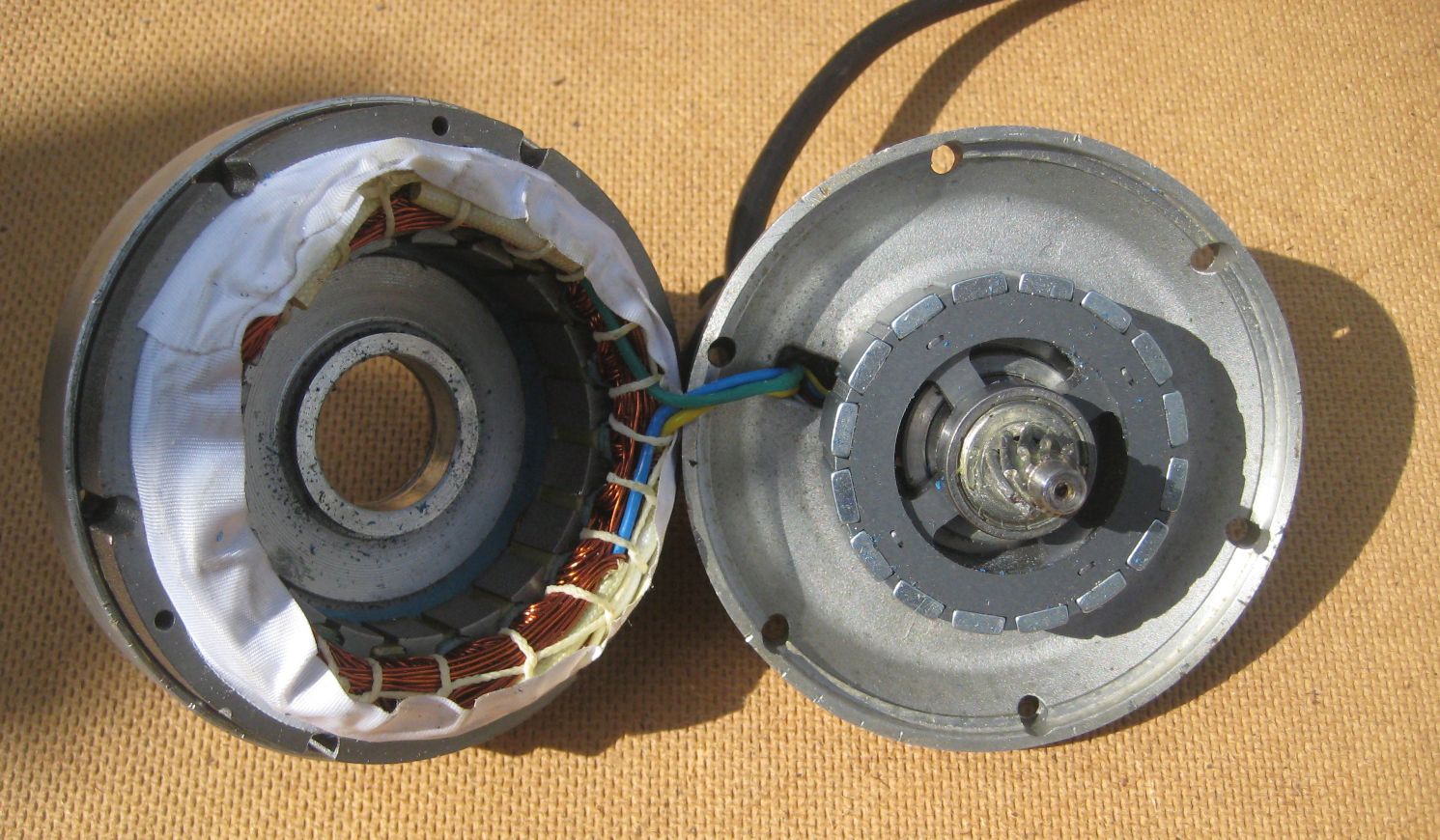
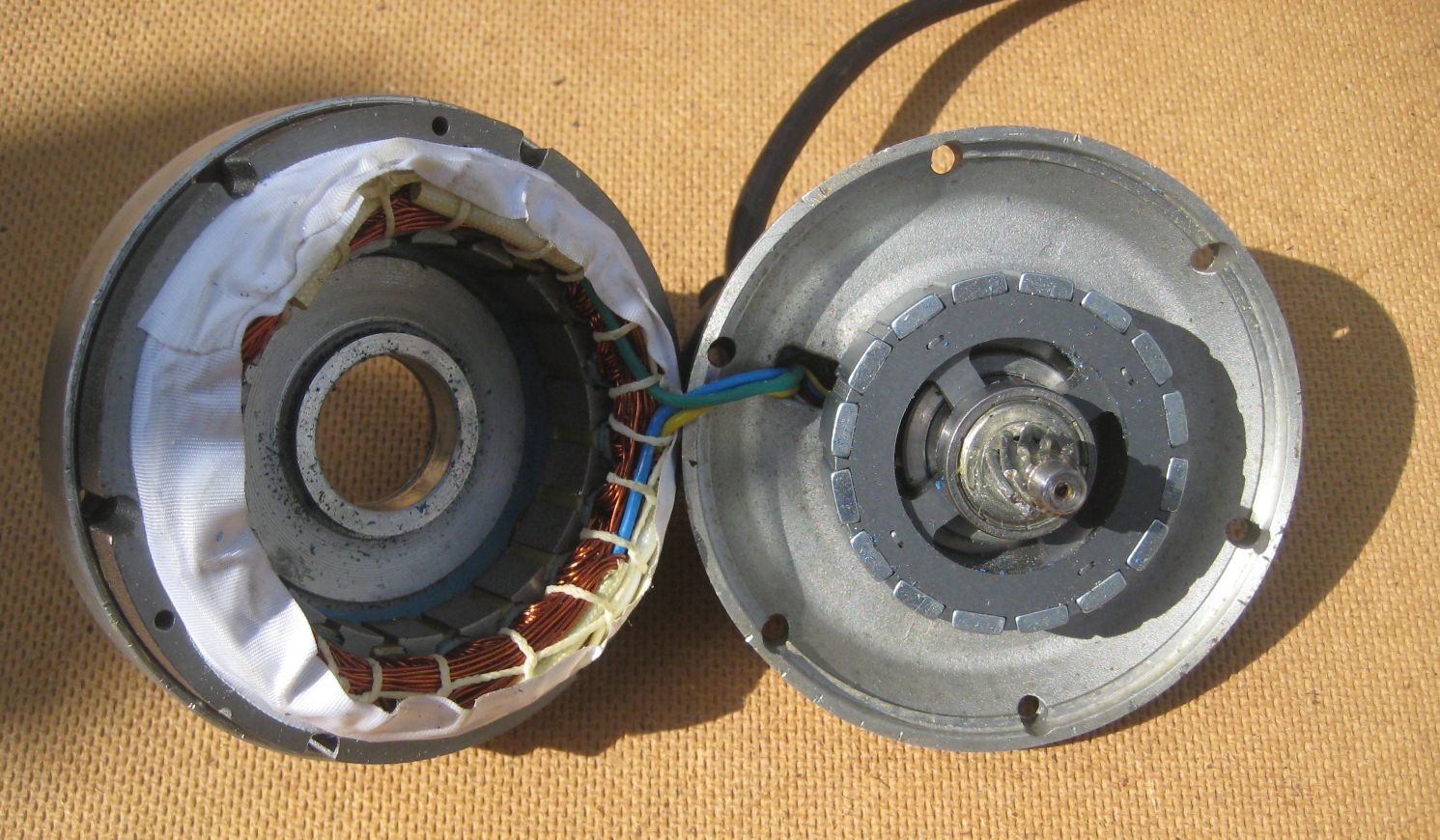
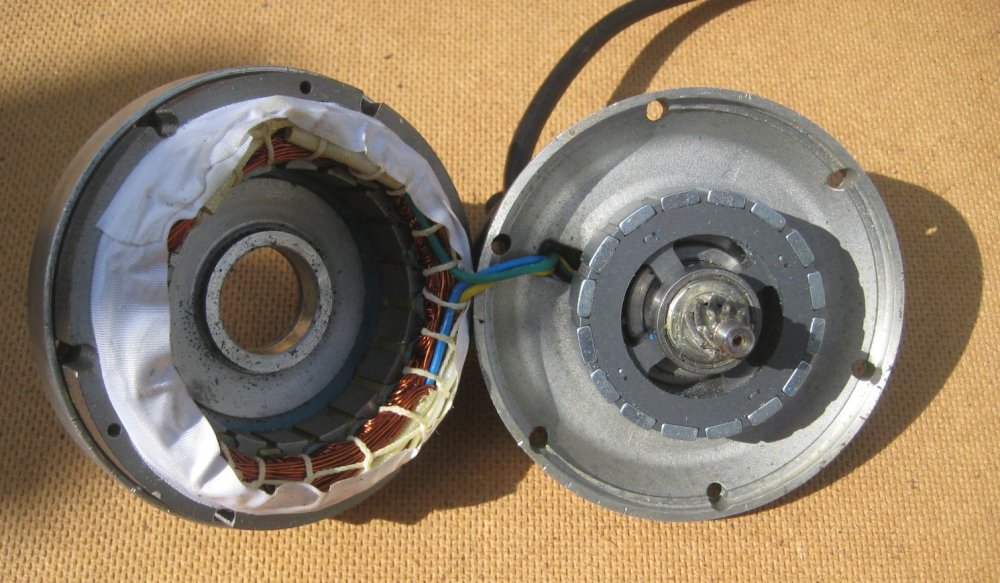
Correct (6:1 Ratio) 6 x 16 Magnets in the internal Hub (Per picture) = 96
-
I just recently changed my Swytch kit controller to KT 22A Controller Kit that I ordered off Amazon, and since it was difficult to find information on the correct settings for the new controller, I thought I would share them here. I bought a complete KT kit and replaced all the Swytch components other than the hub, it's really the only way to make everything work properly. This is the battery replacement that I used as well https://www.amazon.com/gp/product/B089NRZMWK/ref=ppx_yo_dt_b_search_asin_title?ie=UTF8&th=1 It doesn't matter which KT Display you use, the options would be the same. Important info for Swytch hub: There is a 250-watt and 500-watt hub, but I believe the settings for both are the same. The hub uses 6:1 ratio with 16 magnets in it. (To determine P1) It has 1 magnet for the pulse signal (For P2) The rest of the settings are attached, but are my setting preferences, where applicable. KT Settings for Bike Computer.pdf
-
I just recently changed my Swytch kit controller to KT 22A Controller Kit that I ordered off Amazon, and since it was difficult to find information on the correct settings for the new controller, I thought I would share them here. I bought a complete KT kit and replaced all the Swytch components other than the hub, it's really the only way to make everything work properly. This is the battery replacement that I used as well https://www.amazon.com/gp/product/B089NRZMWK/ref=ppx_yo_dt_b_search_asin_title?ie=UTF8&th=1 It doesn't matter which KT Display you use, the options would be the same. Important info for Swytch hub: There is a 250-watt and 500-watt hub, but I believe the settings for both are the same. The hub uses 6:1 ratio with 16 magnets in it. (To determine P1) It has 1 magnet for the pulse signal (For P2) The rest of the settings are attached, but are my setting preferences, where applicable. KT Settings for Bike Computer.pdf