charge_moon_cruiser
Members
-
Joined
-
Last visited
-
Thanks - I should have checked more throughly but the SW102 looked identical to the one Swytch sell but you cant order from their website very easily.
-
Hi everyone, I have a Swytch Max kit and wanted to upgrade the display, I purchased an SW102 display thinking the connectors would be the same but alas now both ends are female and a slightly different size. Anyone know if there is an adaptor cable available or would I need to try and make one. I believe they are Julet connectors? If anyone has been in this situation some advice would be great Thanks in advance Joe

-
-
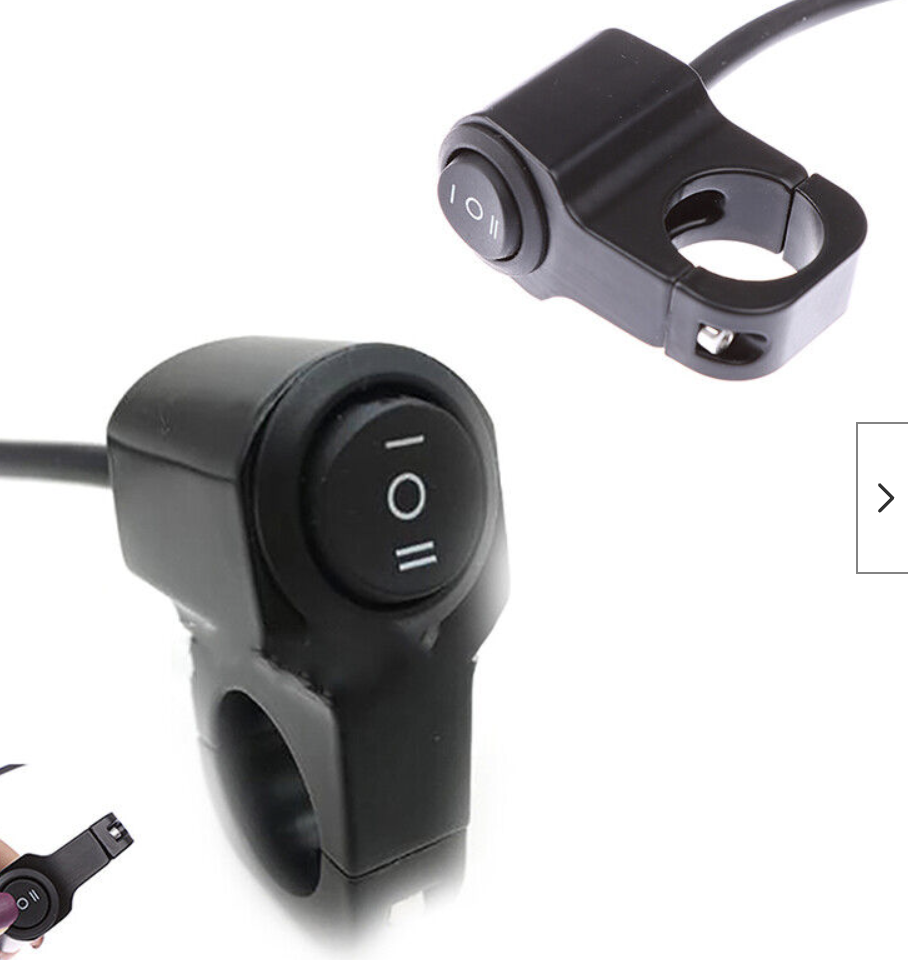
Hi everyone, I've recently purchased and installed a Swytch kit (new MAX Version) on my bike, it seems to work fine and I like the compact design - it works great for my short commute and easy to take battery off etc. However for longer rides the range is not great at all - I can get about 12 miles out of it tops. (heavy bike and heavy me!) I would like to be able to mount another battery (either rear rack or bottle cage mount) on the bike that I can take with me for longer rides. I am thinking the way to do it is to tap into the wires on the front bracket where the battery mounts and then wire to a 3 way switch on the handlebars so I can switch between front battery/off/rear battery. Just wondering has anyone done this or anything similar? New to ebikes so maybe there is a better way to do it Will a 12v switch be OK to use? Thanks