samemmery
Members
-
Joined
-
Last visited
Everything posted by samemmery
-
Yes, I got it working with the controller linked in my posts. The power cable connecter is different, so had to cut/ strip the cables and connect them with a waterproof junction box. Works just fine.
-
Got it back up running with this: https://www.amazon.co.uk/gp/product/B08G1PXTF2?ref=ppx_pt2_dt_b_prod_image And a KT LCD3. Running perfectly again. Thanks for the advice, all.
-
Nice one. Appreciate the advice. Will let you know how I get on in case useful for others further down the line.
-
Thanks. Unfortunately somebody had tampered with the display while the bike was locked up and damaged the cable in the process. It’s definitely no longer working. The light doesn’t even come on an anymore. Will purchase a KT display and controller and take it from there. Will they work with most motors?
-
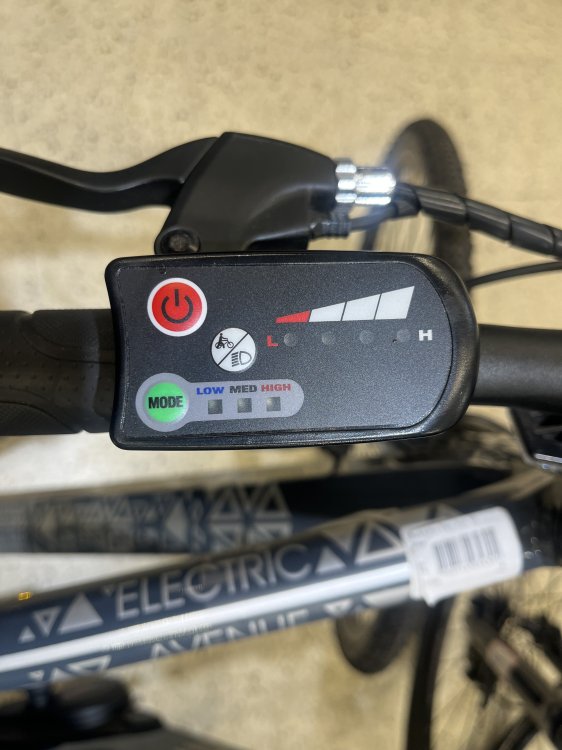
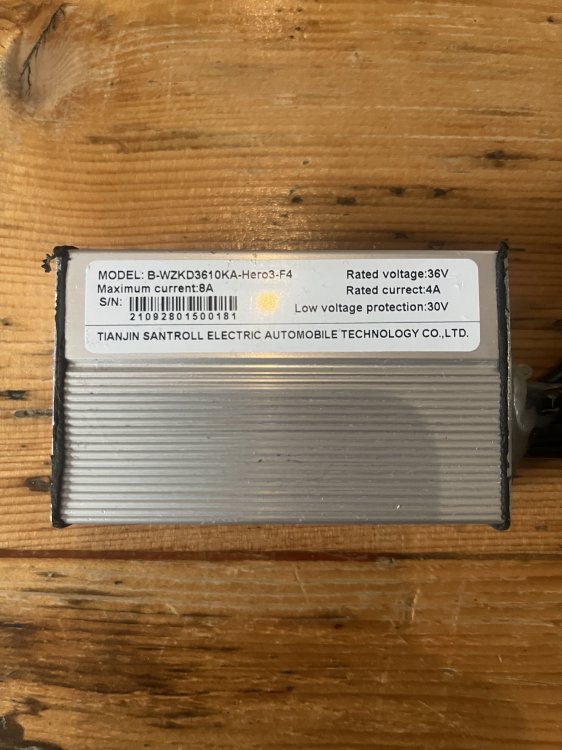
Thanks for the response! See pictures attached. Can't find a replacement for the display or any info on what display might work with the controller. Happy to replace both if anyone's a suggestion.
-
Unfortunately the LED display stopped working and I haven't been able to source a replacement. Any advice gratefully received!
-
Shame! Thanks for the reply.
-
Did you successfully change the controller and display? If so, which one did you go for?