Skip to content
View in the app

A better way to browse. Learn more.

Pedelecs Electric Bike Community

A full-screen app on your home screen with push notifications, badges and more.

To install this app on iOS and iPadOS
  1. Tap the Share icon in Safari
  2. Scroll the menu and tap Add to Home Screen.
  3. Tap Add in the top-right corner.
To install this app on Android
  1. Tap the 3-dot menu (⋮) in the top-right corner of the browser.
  2. Tap Add to Home screen or Install app.
  3. Confirm by tapping Install.

ChrisVito

Members
  • Joined

  • Last visited

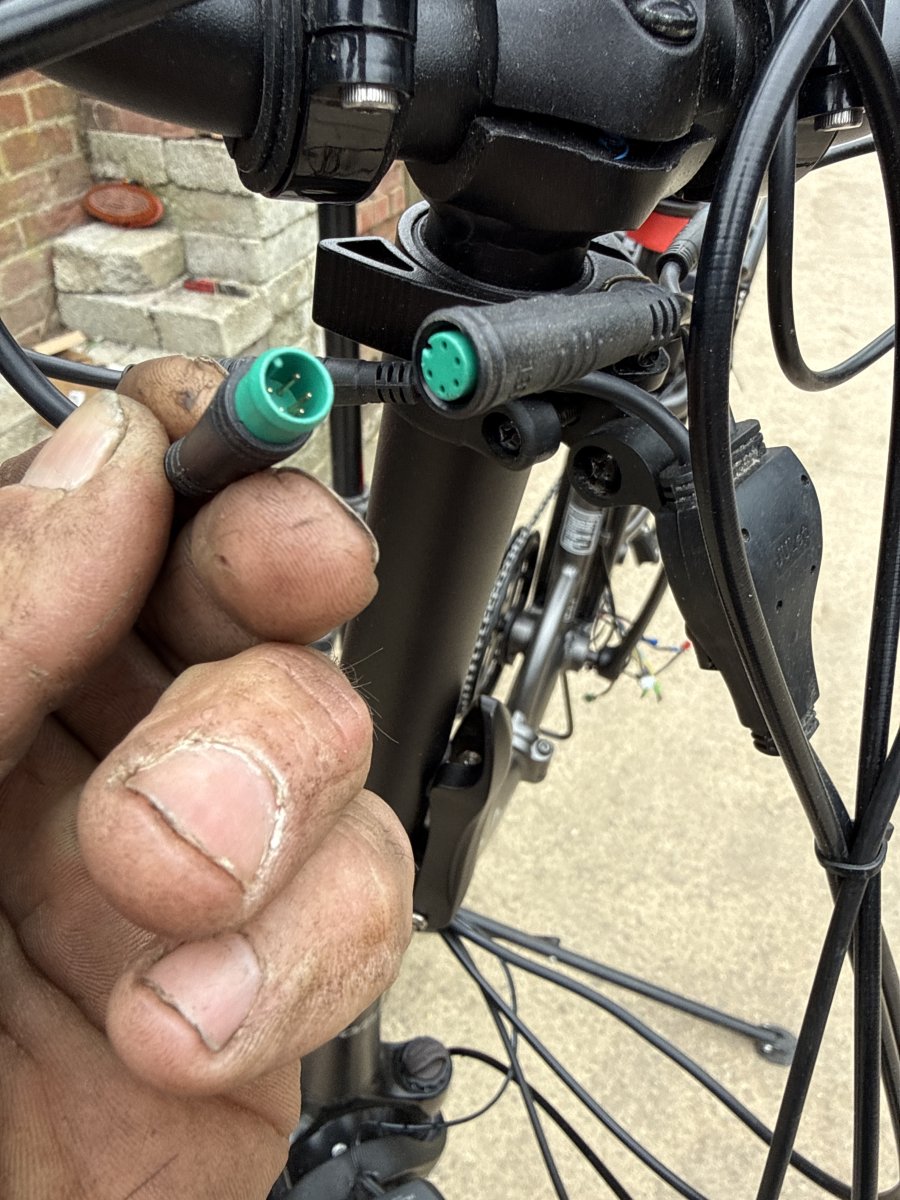
  1. The 1st photo is to the motor with the red block being the rear light. The 2nd goes to the screen again with the red block being the front light. 3rd to the pedals. 4th is base of handle bars 1 cable in 3 out. 5th is the screen and 6th is the brakes
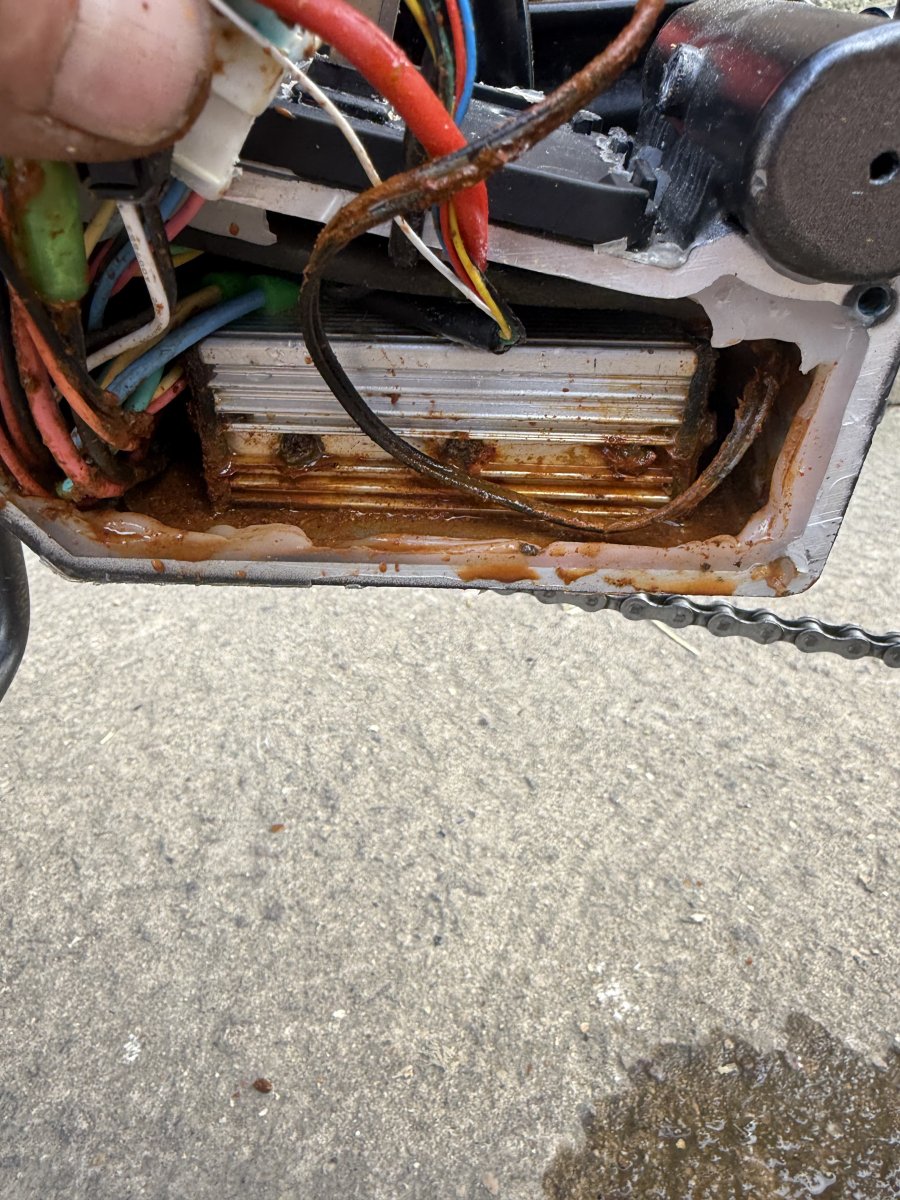
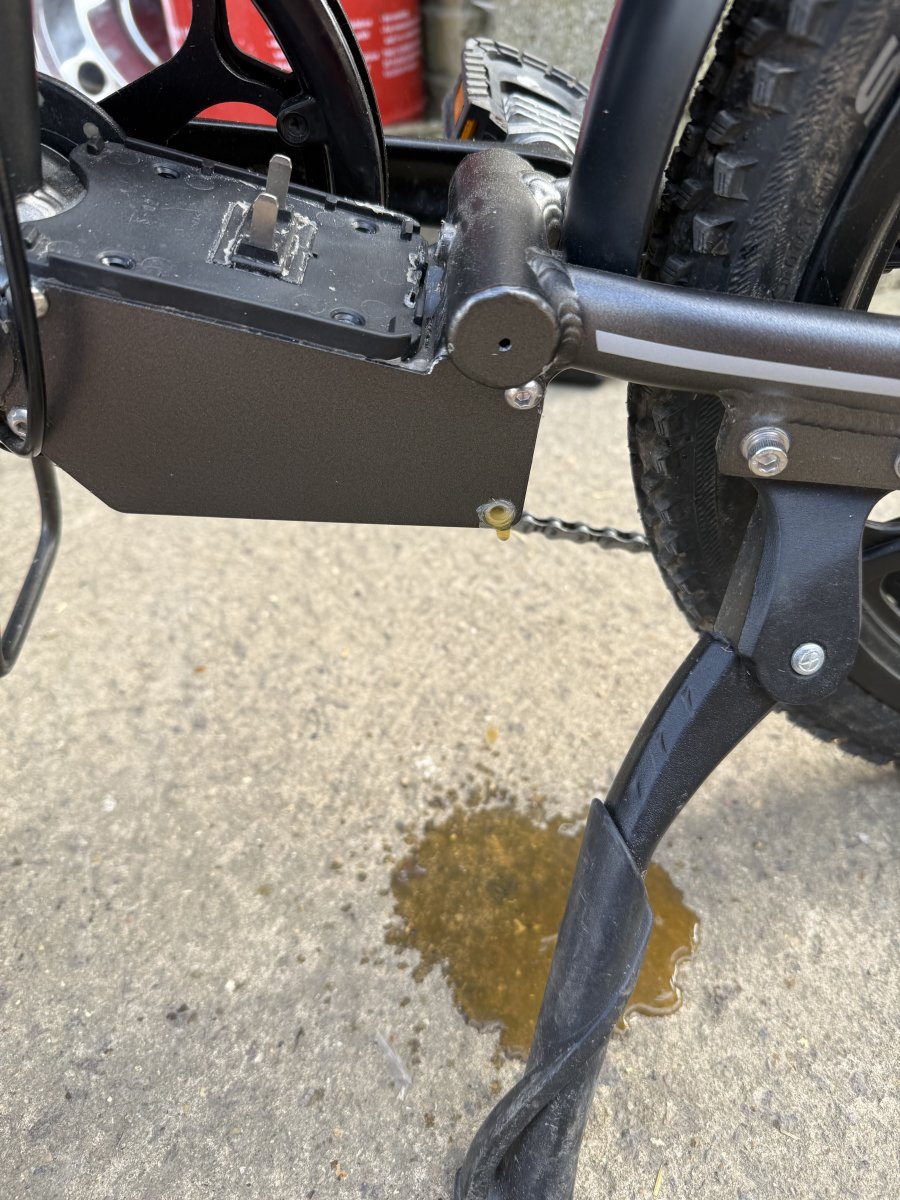
  2. Had an error code 6 up on the screen which is a voltage fault. Put a multi meter on the battery and is 41v ish. Went to check for a loose connection / wire and found the controller swimming in water. Have dried it out but it’s flashing that the battery is empty when it’s fully charged, so guessing the control unit is washed out.
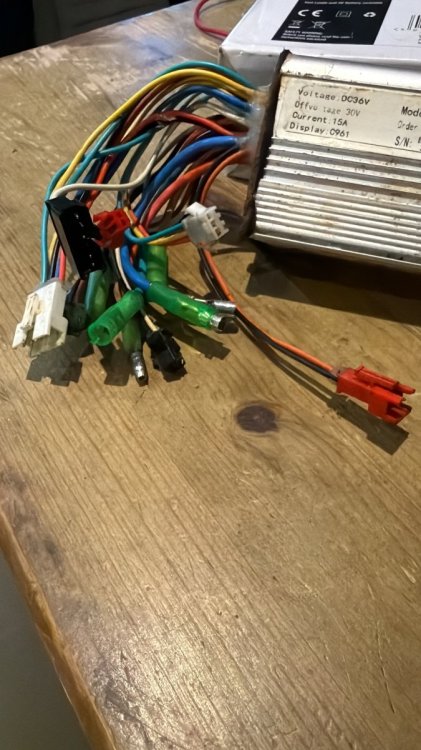
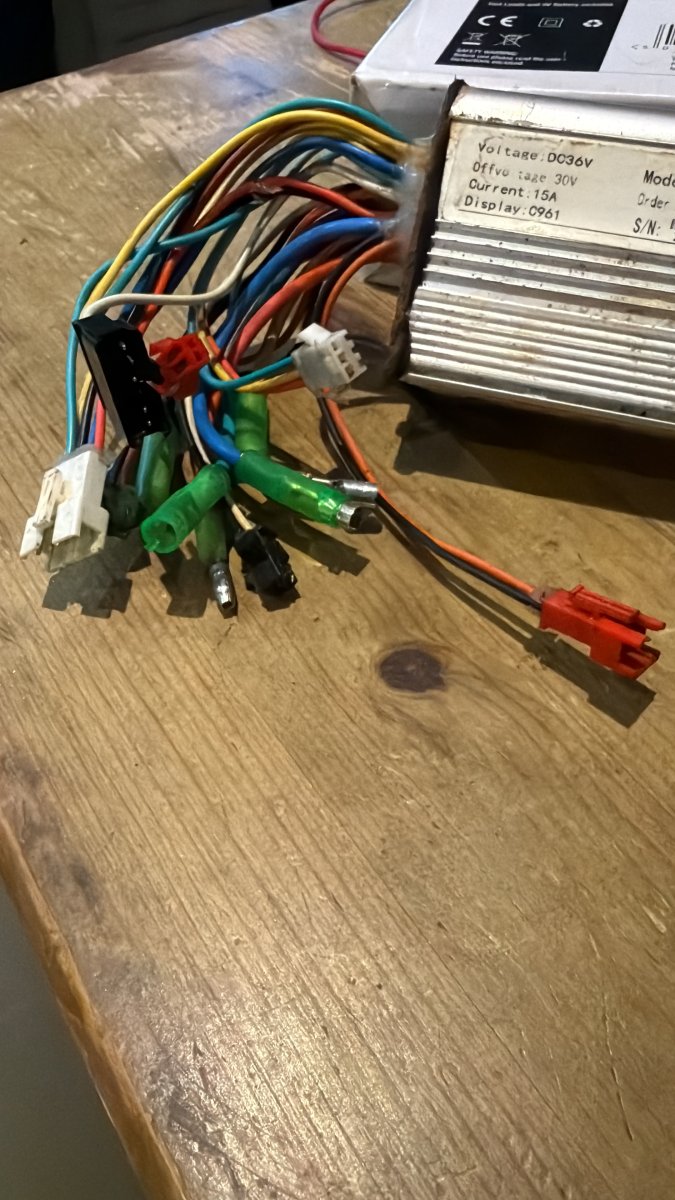
  3. Thank you for your reply, apologies i thought I had said about the motor it’s a Bafang rear hub motor fun8 250w brushless BFSWX02/D21110396-1. Please could you explain a little more of what you mean regarding “sensored or senseless”. From my little knowledge I can see it has the battery to a control unit which then runs a screen, wires to the motor, sensor at the peddles and wires into the brake levers. Sorry this is all new to me.
  4. Looking for advice re control unit for a Bafang 8fun motor. It’s a 36v 250w motor, can’t find the same one if I change for a newer type / display screen is it just a case of wiring it in? And away it’ll go of is it not that simple? Thanks.
Background Picker
Customize Layout

Account

Navigation

Search

Search

Configure browser push notifications

Chrome (Android)
  1. Tap the lock icon next to the address bar.
  2. Tap Permissions → Notifications.
  3. Adjust your preference.
Chrome (Desktop)
  1. Click the padlock icon in the address bar.
  2. Select Site settings.
  3. Find Notifications and adjust your preference.