


Dumsterdave
Members
-
Joined
-
Last visited
Everything posted by Dumsterdave
-
is this idea dead? Im looking to buy
-
the max size you can legally ride in public is 250w
-
no, I just signed, scanned, then emailed. I got my codes within an hour of sending them the email
-
Just send an email to the cyclotricity folks and they should send you a waiver that you need to fill out and return. Then you'll get your derestriction codes
-
the directions from the kit seller said to put it on the non drive side... does it matter though? do the silver circles need to be pointing at or away from the sensor? Does it matter as long as the arrows on the disc follow the same direction as the pedals go?
-
How do i install this? I have watched multiple youtube videos but they must be different because they say that i need to unscrew something, place the metal sensor down, rescrew something and then place he magnetic bit.. I dont have anything to screw onto the sensor part. Ive included links to some photos to see what im working with


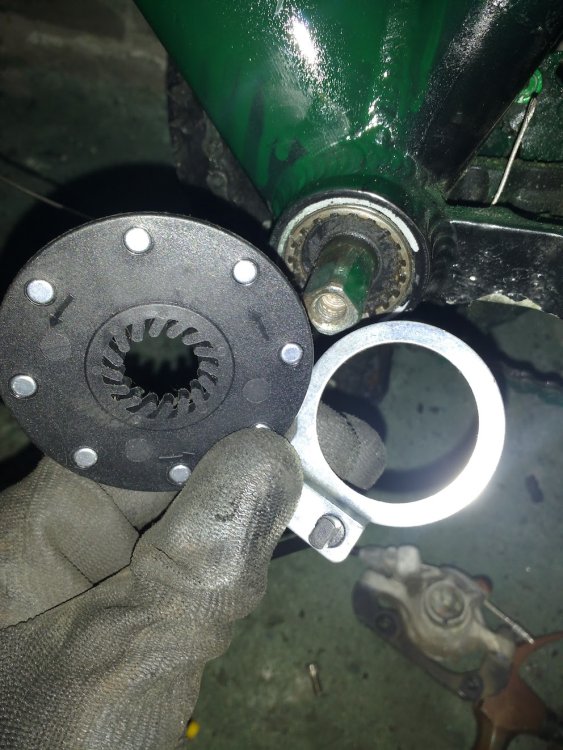
-
heres a few more pics.. as you can see the disc rotor is very near the chainstay.


-
Ill post some better pics tomorrow, but i do have this pic of the wrong side of the calliper

-
I did buy an adapter for 203mm rotors, but then i found out that my bike cant support rotors that large. if i start to grind the back of the calliper wont i cut into it and brake fluid come out?
-
I got a new Cyclotricity rear hub motor and tried to install my avid juicy 7s on it, but the calliper is too wide and rubs on the hub... there simply is not enough space between the disc and hub. What can i do? i have 160mm discs on now and cant go any larger. w
-
Any updates on how your kits are running?


