sandroforms
Members
-
Joined
-
Last visited
-
DIY battery holder and case :
-
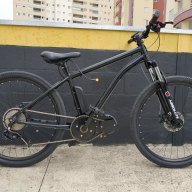
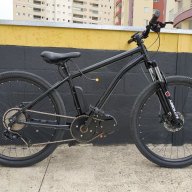
I bought the used engine in my country, on Aliexpress has the same engine for sale, 36v and 350 watts R$ 440,01 34%off | 48v electric scooter wheel axle, brushless motor, toothless https://a.aliexpress.com/_mtqJpCKin this video , I explain how I set up the support and made the download of the project available to everyone , this video description on Youtube :I use batteries in the backpack , but the battery is stuck in the support made of Styrofoam , so that it does not move and ensures a better position so that it does not hurt , the battery in a backpack depends on its weight , the heavier it is , the less time it takes you will be able to take it , I use it for a maximum of 2 hours , above that I do not advise to useyes , the battery is stuck in a Styrofoam holder to not move , and is inside the backpack !https://youtube.com/shorts/fMaf6OZO5YQ?feature=shareI would like to share with everyone my electric bicycle that I assembled using parts of a scooter , with a central motor and it was very good !I'm assembling a case using a toilet paper holder, I cut it to make it smaller, on my YouTube channel I explain better how I'm putting it together!how to turn off s866 display backlight? the buttons and the screen are always backlit on...how to connect external speed sensor with a s866 display? I have a mid drive motor and the display shows the engine speed, but I would like it to show the actual speed on the bike wheel