dave-electric
Members
-
Joined
-
Last visited
Everything posted by dave-electric
-
Hi again... I haven't made an adapter for the GO I'm afraid. The connector to this battery is a proprietary Swytch design and the battery itself contains some additional parts to deal with the Pedal Sensor signal, as well as an optional Display, Brake sensor and Throttle: it's not just a battery. I might see if I can get hold of one to pull apart, as I have been asked by other too, as people are seeing reduced range with these now. For now, it's just the gen2 and gen3 adapters, although I've added a Brompton variant that allows the bike to fold, without needing to remove the adapter. www.swap-e.co.uk Thanks, Dave
-
We manufacture adapters in the UK to suit Gen 2 and Gen 3 Swytch conversions, to allow for third party 36V batteries to be used. This gives the option for greater range and a degree of improvement in handling, by not having a weighty battery hanging off the handlebars. This started off as a personal project, but has proven popular with many Swytch users, whether that's from failed Gen2 batteries or those needing more range. Currently, we're working on various Brompton-specific versions. www.swap-e.co.uk The middle two pins on the clip-on device are simply a bridge, and redundant when used with an external battery. Always a good idea to check a battery is switched off during connection, to avoid possible arcing though!

-
PS. Thanks for pointing out the Australian (printcraft) adapter: interesting. This is closer to my design in some respects.
-
Hi eas2lv and guerney The eBay policy still allows existing 'business sellers' to sell eBike stuff, irrespective of whether it is of dubious quality. Private sellers are banned. I might try a more discreet, alternative listing! The competition adapter you highlight uses simple 1/4" spade terminals (Gen 3 adapter). In my experience, these connectors are designed for semi-permanent connections and could scratch the differently shaped Swytch terminals, as well as leave the contacts more exposed to the elements. It's a cheaper solution but serves a similar basic function. You can find the adapters I designed on www.swap-e.co.uk if that helps. Happy to answer any questions. Thanks, Dave
-
Hi Guerney I did wonder if I could relist, but they take a pretty draconian approach to this. As it's quite a specific function, by listing it in a different category and without including keywords (Battery, Swytch etc.), I'm not sure poeple would find it. I've now set up a dedicated website to sell them and listed it on Amazon. I'll be able to add links once Pedelecs admin has got in touch with me for approval! Thanks, Dave
-
Hi eas2lv I appreciate your message, thanks. It was really frustrating to be caught in the eBay ban, since the adapter I designed is essentially a passive device and doesn't include the battery. I did appeal but to no effect. My company now handles the sale of the adapters, which allows me to maintain a technical file too, so I'm wary of posting on forums (or Facebook), in case I'l blocked for advertising. I'll post the same message and hope it's acceptable. Regards, Dave
-
Hi sjpt Thanks for your message - I'll certainly do that! Cheers, Dave
-
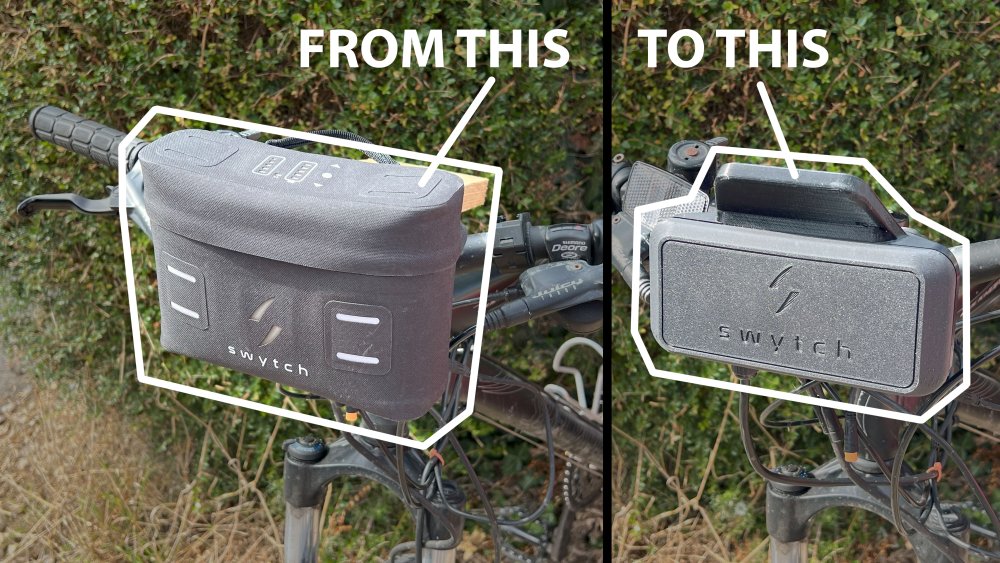
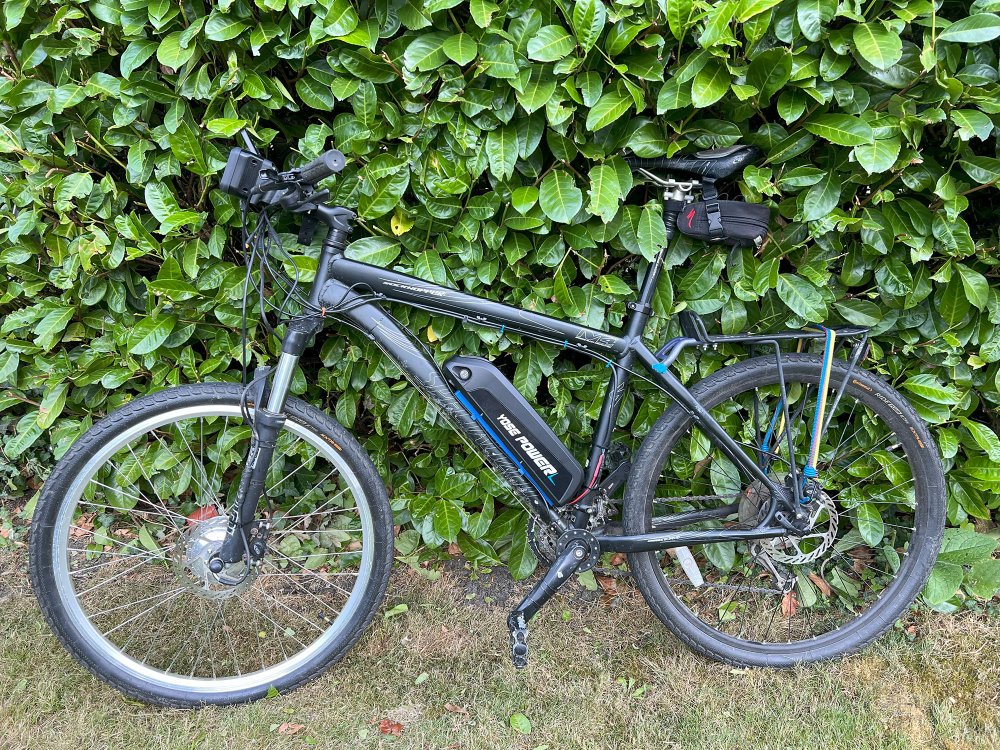
Hi everyone, I’d been using my Gen 2 Swytch kit for a good few years and loved the simplicity of it, but like many others, I ran into the usual limitations: Battery getting tired Cost of Swytch replacements Limited range Awkward mounting location (handlebar) I ended up designing a small 3D-printed adapter casing that allowed me to safely use an independent 15Ah battery with the Swytch motor controller parts in the new case. It basically gave me the flexibility to upgrade to a larger and cheaper battery, and mount it on the frame down tube for better weight distribution. I subsequently developed Gen3 and Brompton versions too. Having originally made it for myself, I started selling the adapters on eBay (until they banned ebike accessories ), though I got really good feedback. I subsequently developed Gen3 and Brompton versions too. I have asked Pedelec admin if I can provide links (as advertising isn't allowed), but in the meantime, if anyone’s interested or has questions, I’m happy to share more or just chat about what other DIY Swytch mods people are doing. Cheers, Dave
-
Thanks for the complimentary observation! As I don't have a model 1, I can't verify, but I guess if the connector block is the same and the LED/switch pad, controller and wiring occupies the same volume, then it would work just as well. I'd be happy to send one FOC to someone with a model 1 to review/try, provided they could take photos.
-
This kit is only for the older Switch GEN2 kit though, so would not be suitable for the newer model.
-
https://www.ebay.co.uk/itm/166874946938
-
I have designed a solution to allow an external 36V battery to be fitted in place of a failed (or poor capacity) Swytch battery. It's a 3D printed housing for the controller and UI pad, which fits onto the handlebar connector. I sell it on eBay... https://www.ebay.co.uk/itm/166874946938 It replaces the bulky 'handbag' with a more compact solution, that securely presents the controls to the rider. Other than running wires to a new battery and the battery itself, all necessary parts are included...